![Email Signature_CM.png]](https://kb.connectedmanufacturing.com/hs-fs/hubfs/Email%20Signature_CM.png?height=40&name=Email%20Signature_CM.png)
Problem Description: The customer encountered the following error while executing the "Referensprover" task under the "SLNA_PAL_PROD_RUN " task list. The user account had the required access permissions.
Error: "The KMP custom component is applicable only for PAL containers."
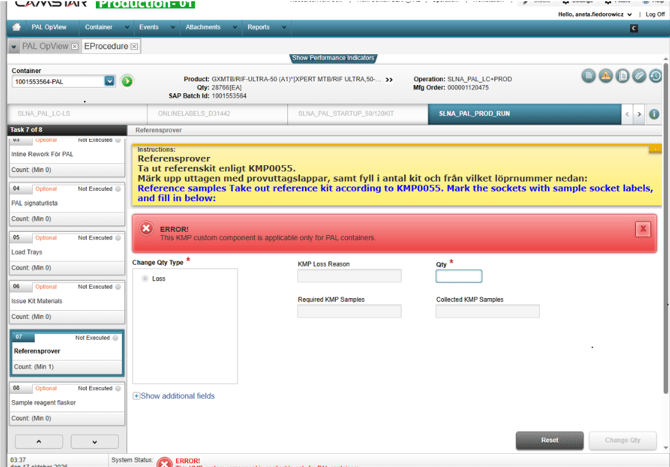
The affected container was confirmed to be "PAL" container, but the "ContainerType" attribute was missing.
Troubleshooting Steps:
-
Check whether the missing attribute was configured at the Product level.
Findings: "ContainerType" attribute was not found.
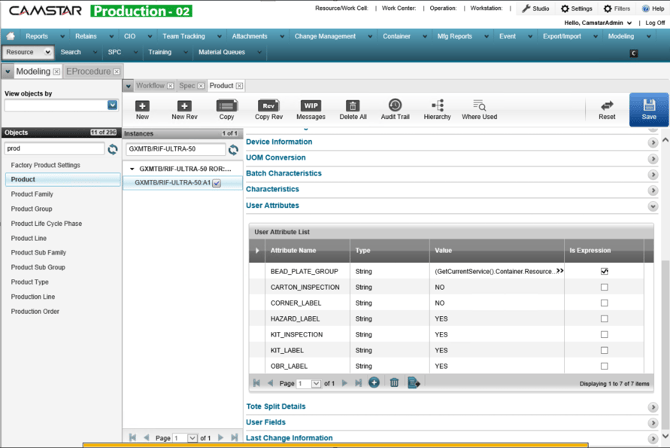
- Review the affected Task configuration.
Inspected the "Referensprover" task and found the following Min Iterations expression:
GetUserAttribute(GetCurrentService().Container,"KMP Required").AttributeValue = "False"?0:1
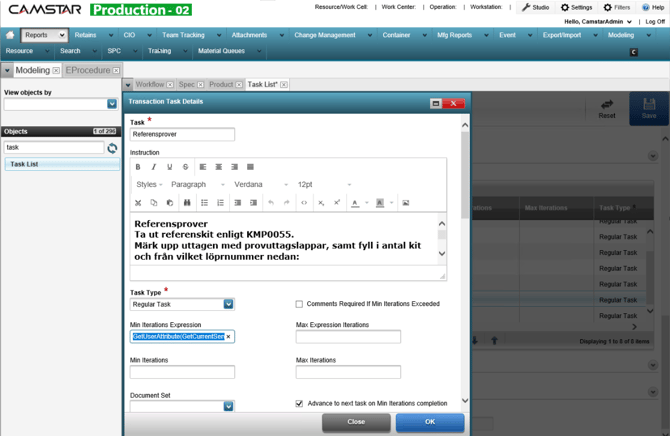 Check Product attributes and Container Attribute Maintenance for "KMP required".
Findings: The "KMP Required" attribute was not found in either location.
- Check the tasks preceding the affected task for UDCD and User Query configurations that could set the required attribute.
Findings: No relevant configuration was identified. - Review previous Task Lists and Specifications for relevant UDCD, User Query or Data Collection configurations that could create or set the required attribute.
Findings: No relevant configuration was identified. - Inspect the Business Rules for logic that sets the required container attribute.
Findings: No relevant attribute-setting logic was found. - Review the Workflow and inspect the path expressions configured in Specs.
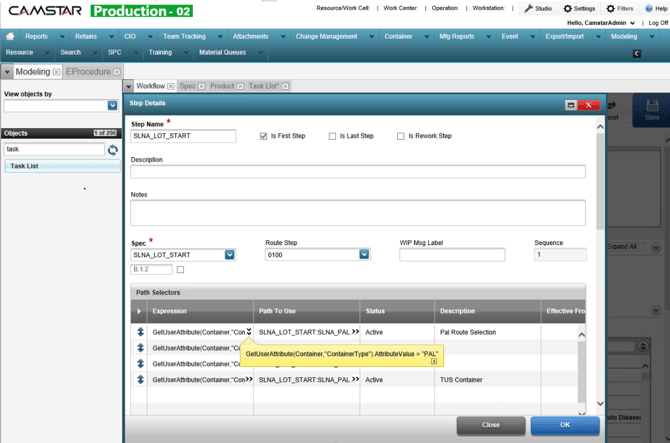
Findings: The path expressions in the starting specification, "SLNA_LOT_START" which reference "ContainerType" attribute to determine the next specification.
The missing attribute could have caused an error during normal path evaluation at "SLNA_LOT_START" before progressing to the next spec. - Review the Mfg Audit Trail to determine whether any transactions affected the container's movement through the workflow.
Findings: A Move Non-Standard Transaction moved the container to another spec, bypassing the normal path evaluation at the first spec. The error occurred later during execution of the affected task.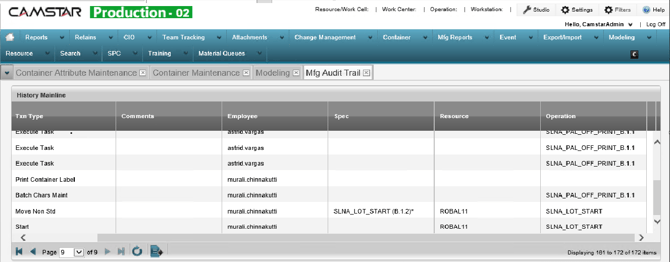
Resolution: The customer manually added the missing "ContainerType" attribute through Container Attribute Maintenance and re-executed the task.
Result: The error was resolved, and the container succesfully progressed to the next step.