![Email Signature_CM.png]](https://kb.connectedmanufacturing.com/hs-fs/hubfs/Email%20Signature_CM.png?height=40&name=Email%20Signature_CM.png)
❗ What Happened?
A user in QA ran into an issue when searching for a container on EProcedure. The error looked like below:
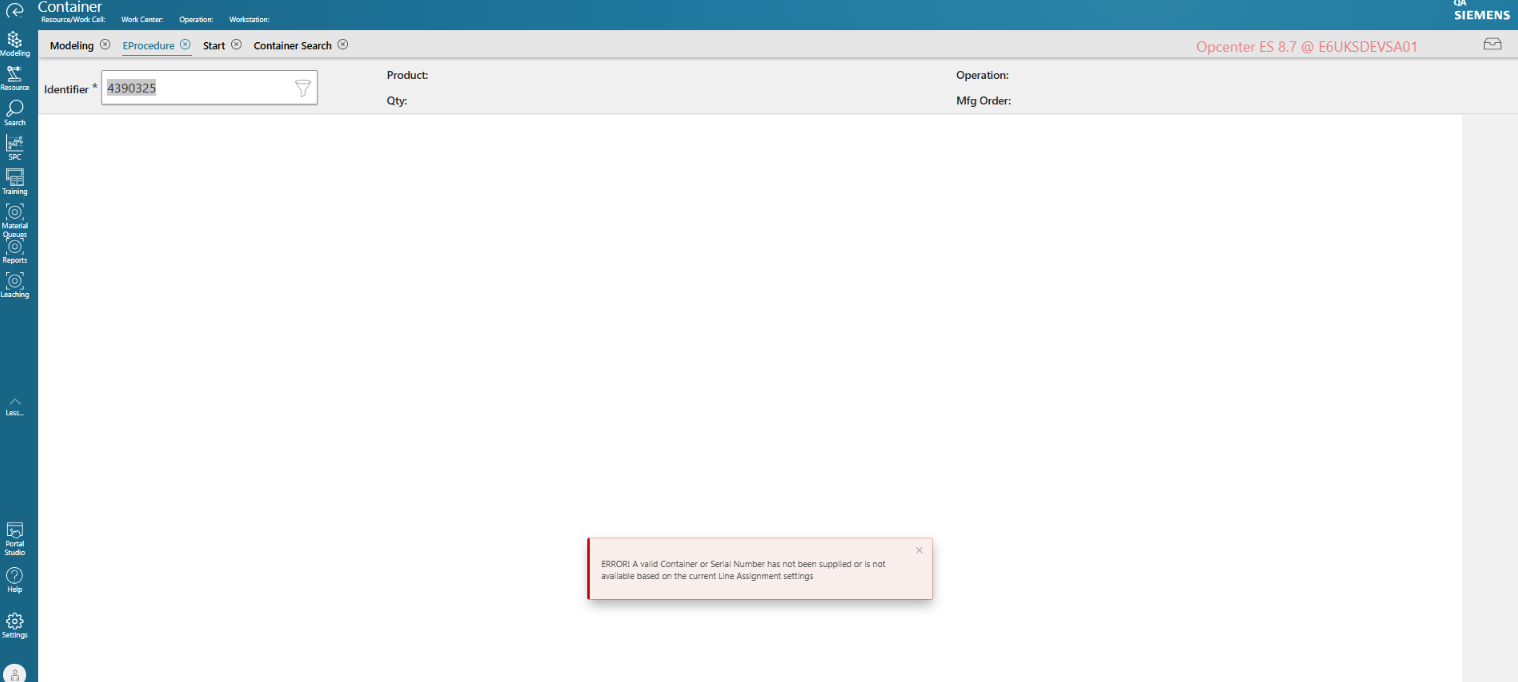
ERROR! A valid Container or Serial Number has not been supplied or is not available based on the current Line Assignment settings.
🛠️ How to Fix It
The error shown above could me a number of things. For this instance, the container couldn't be searched for because it is not yet existing. The object previously created is a manufacturing order, not a container. The user will need to perform an Order Dispatch for the manufacturing order to create a container.
Here’s how to do it, step by step:
✅ Step 1: Verify if there are containers previously created on the manufacturing order.
-
Log in to Opcenter.
-
Go to Modelling and open Mfg Order.
-
On Mfg Order, search for the manufacturing order created by JDE and verify if there are any containers previously created.
-
If there are none, proceed to next step.
🔍 Step 2: Perform Order Dispatch
It is important to note that the user should perform Order Dispatch first under Container menu before proceeding with the Eprocedure transaction. This will effectively create a container under the manufacturing order.
- On Container menu, select Order Dispatch.
- Search for or select the manufacturing order.
- Supply the information needed and click submit.
🧠 Quick Tip
-
For E6, you only need to do an Order Dispatch on lower environments as this is automatically performed in Production
✅ You're Done!
Once you’ve submitted on Order Dispatch, a container will be created based on the information you have supplied.
Related Ticket: Work Order MES QA Testing