![Email Signature_CM.png]](https://kb.connectedmanufacturing.com/hs-fs/hubfs/Email%20Signature_CM.png?height=40&name=Email%20Signature_CM.png)
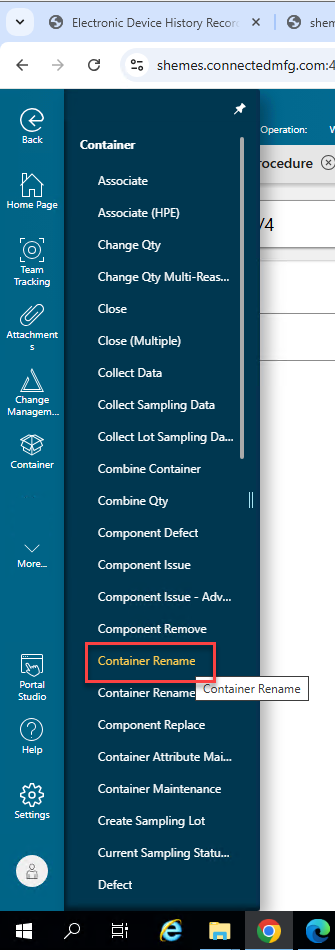
1. In Container Menu, click the Container Rename page.
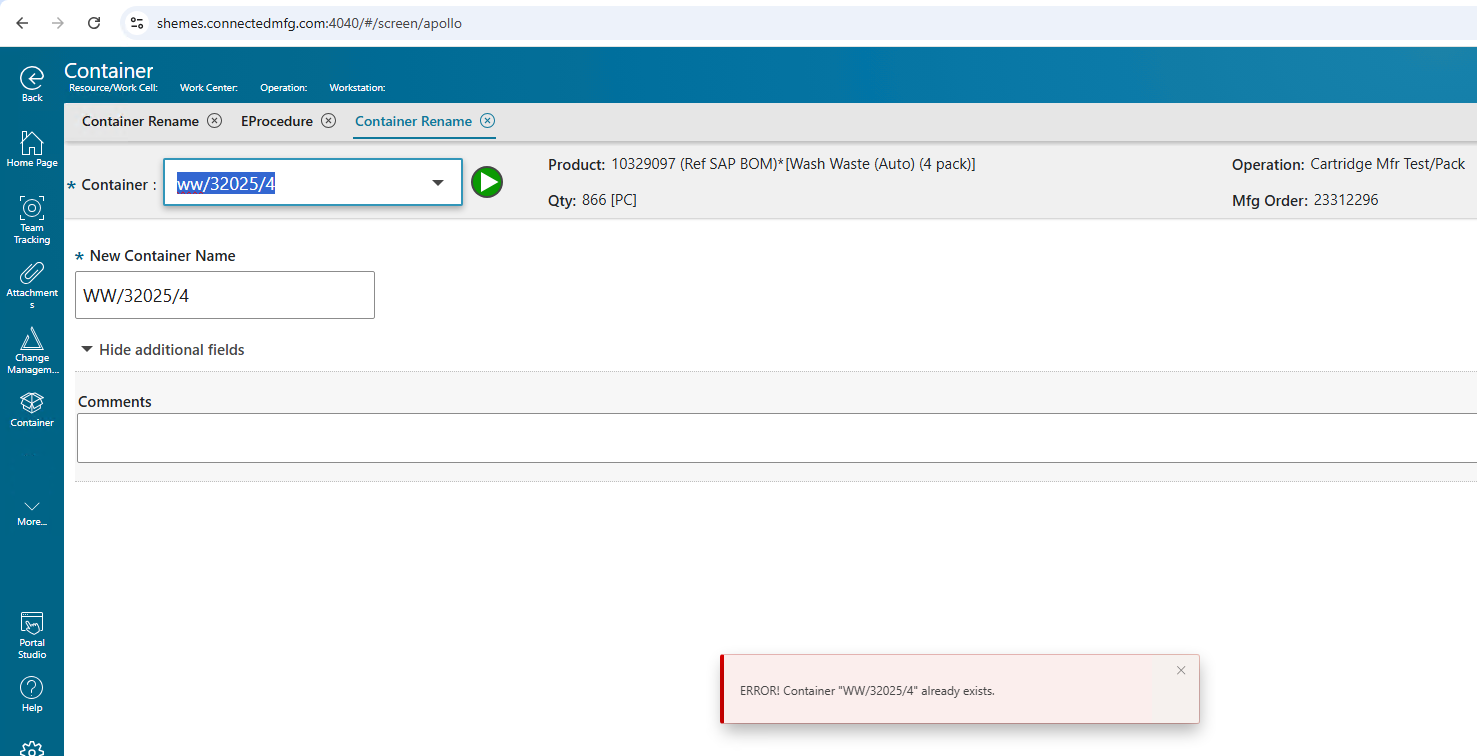
Note: Renaming a container by changing only the letter case (for example, from lowercase to uppercase) will result in an error, as illustrated below.
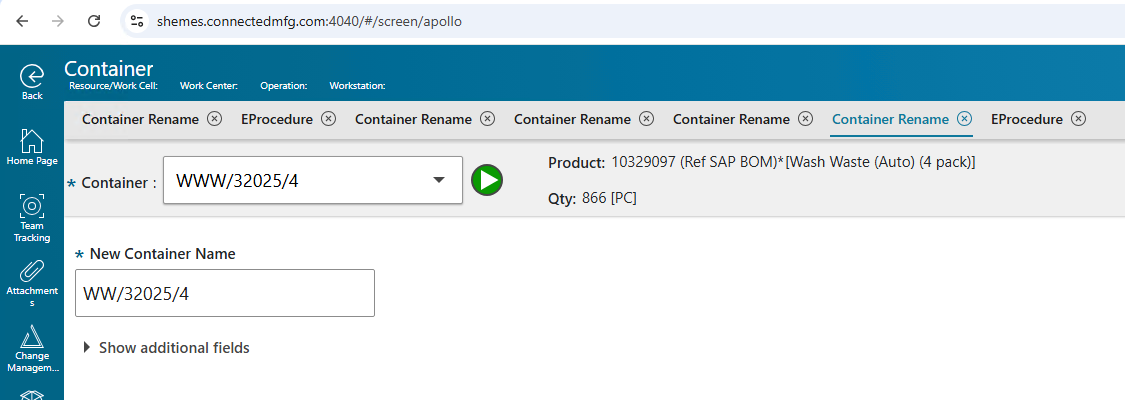
To update the name from lowercase to uppercase, first change it to a different name, then update it again to the correct name.
Reference ticket: https://app-eu1.hubspot.com/help-desk/143629742/view/216643541/ticket/327928536278/thread/16457476290#email